FaiSnap
FaiSnap app icon

Screenshots you can
share without worry.

Capture, mark up and share on your Mac. FaiSnap spots passwords, keys and email addresses before they leave, keeps every edit as a version, and gives you links you can take back.

For macOS 14 Sonoma or later. Free during the beta.

The FaiSnap Library: captures in a grid, filed into projects, with details, versions and links in the inspector
Privacy

It catches what shouldn't be shared.

Right after you capture, FaiSnap looks for email addresses, phone numbers, API keys and tokens, passwords and card numbers, even a password sitting under its label in a password manager.

One click covers them: solid boxes for secrets, pixelation for the rest. Text under a cover never comes back when you copy text from the image. All of it runs on your Mac.
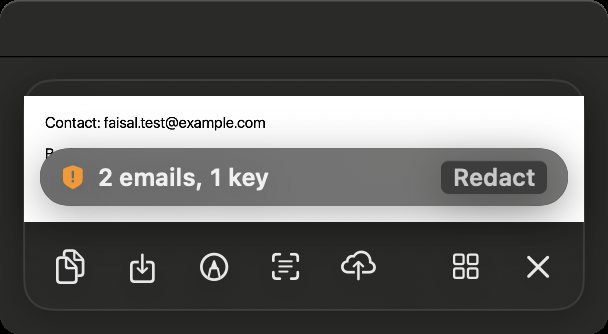
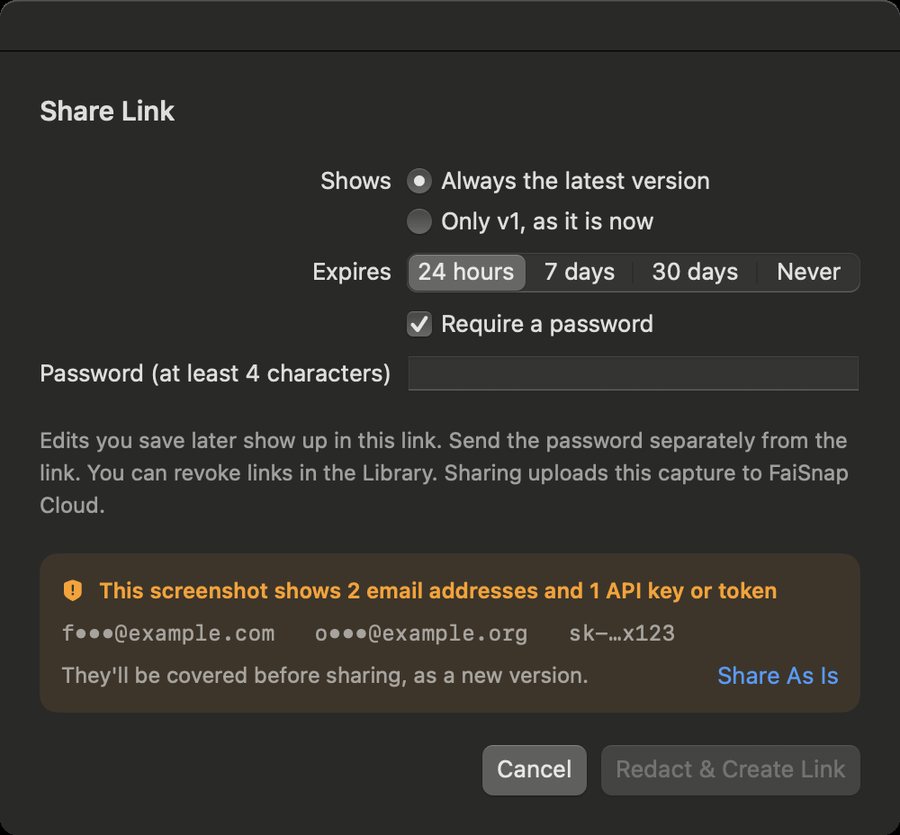
Quick Access warning: 2 emails, 1 key, with a Redact button Share sheet listing the sensitive text it found, offering Redact and Create Link
Versions

Every edit is kept. Compare any two.

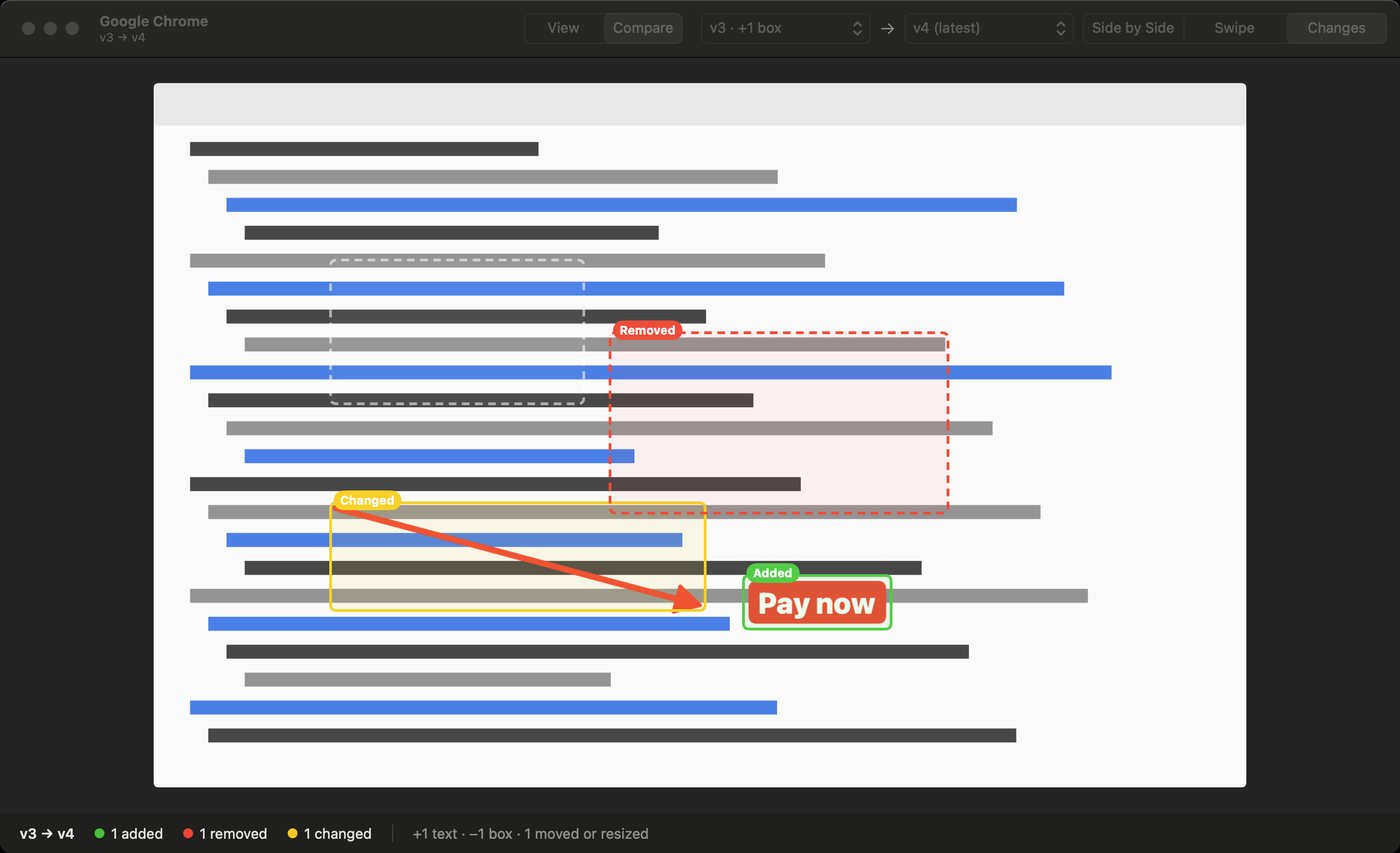
Each save is a version. Go back to any of them, compare two side by side or by swiping, and see exactly which arrows and labels were added, moved or removed. The original screenshot is never overwritten.

Two versions compared, with added, changed and removed annotations highlighted
Editor

A full editor, made for screenshots.

  • Arrows, lines, boxes, ellipses, pen and highlighter
  • Text and labels, numbered steps, spotlight
  • Pixelate, blur or a solid box
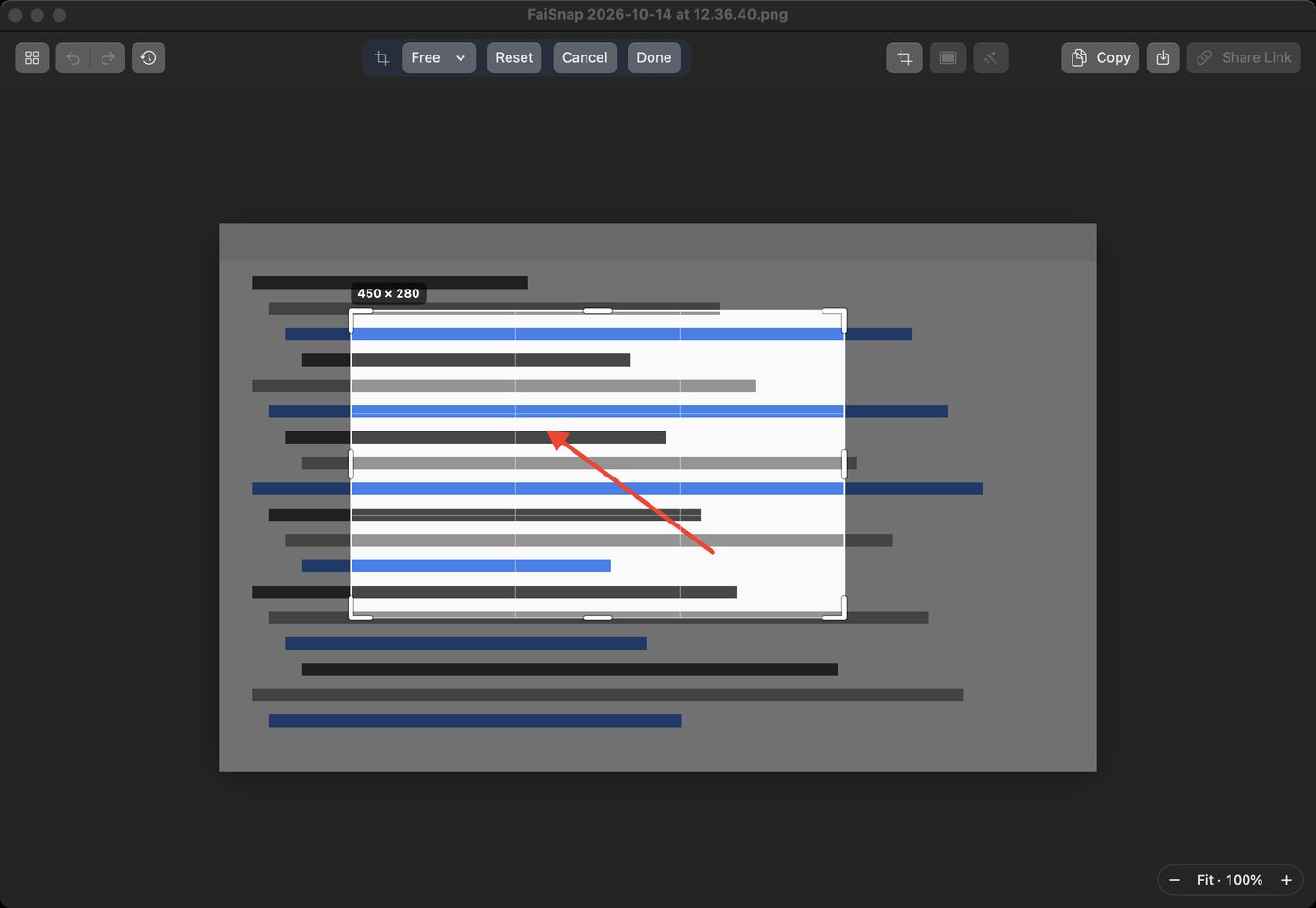
  • Crop, zoom, select several and change them together
  • Copy the text in any screenshot
The editor cropping a screenshot, with a rule-of-thirds grid and its size
Beautify

Ready to post in one step.

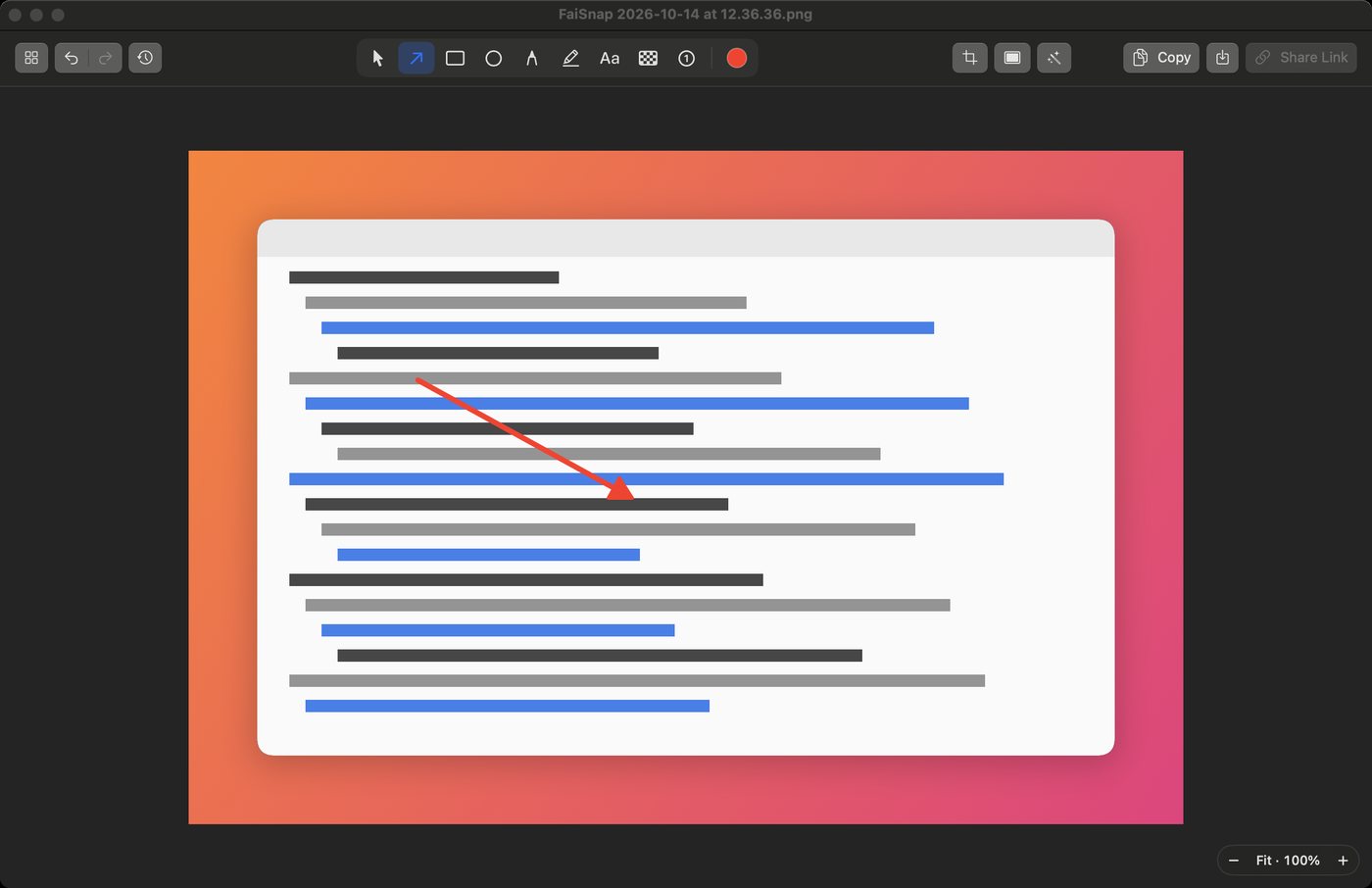
Put a capture on a background with padding, rounded corners and a shadow, or fit it to 16:9, 4:3 or a square. The frame is saved with the version, so you can change it later.

A screenshot on a gradient background with rounded corners and a shadow

And the rest of a good day's work

Links you control

Show the latest version or a fixed one, add a password and an expiry, revoke a link any time, and see when it was opened.

Projects

File captures into projects. FaiSnap learns on your Mac which project a new capture belongs to and suggests it.

Search inside images

Find a screenshot by the words in it. Text recognition happens on your Mac.

Quick Access

After a capture, copy, save, drag it into another app, annotate or share it from a small panel.

Optional backup

Sign in with Google to back up captures with all their versions. Without an account, everything stays on your Mac.

No ads, no trackers

FaiSnap has no advertising and no analytics. Your screenshots are never used to train AI. Privacy policy